Product UI · User Experience
Branch
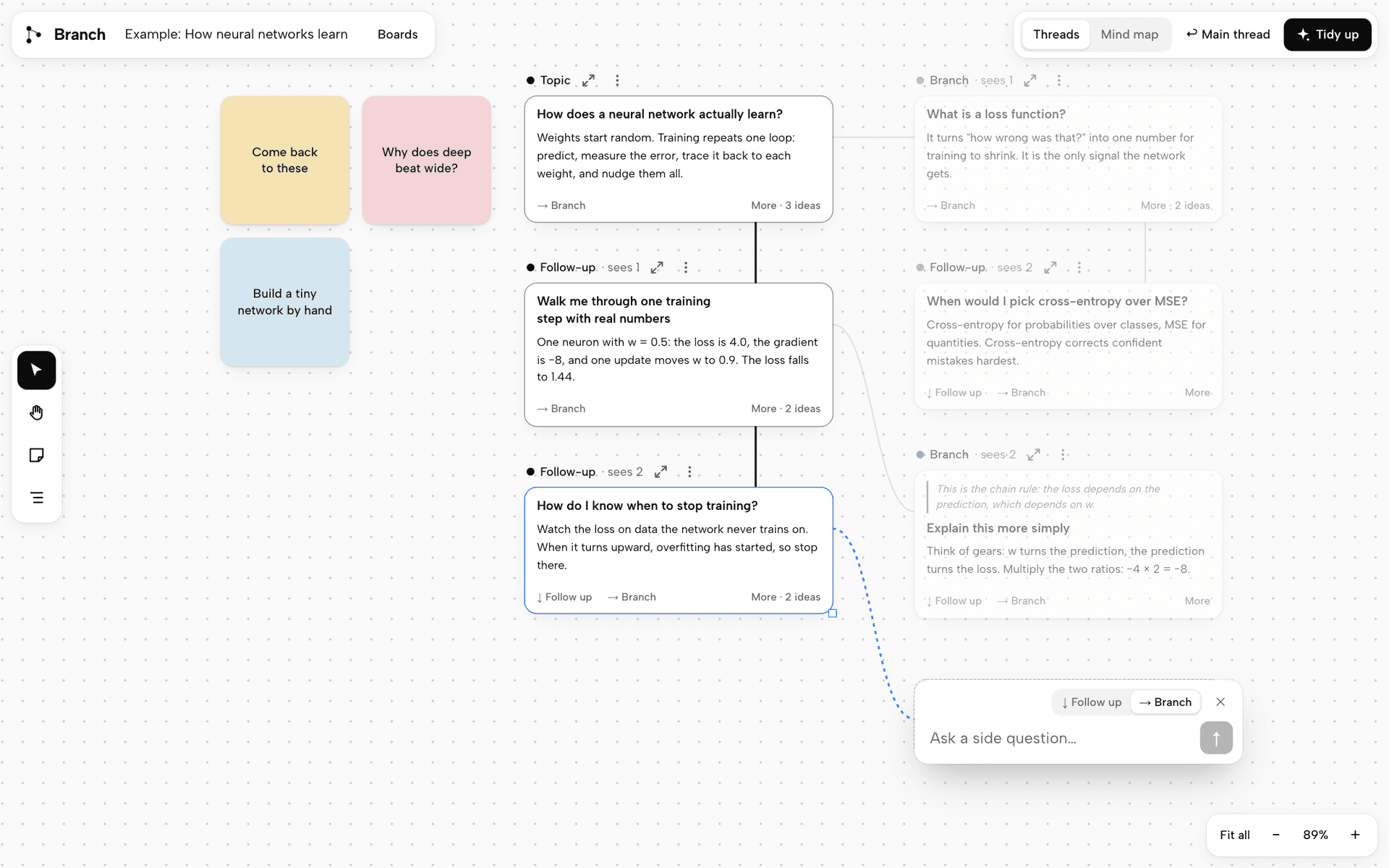
A canvas for talking to AI, where a side question opens up as its own branch instead of burying the conversation you were in.
Why I'm building it
I like to think in questions, and one question usually opens up three more, which is exactly when chat apps like Claude and ChatGPT start to get in my way. When I'm learning a new topic or brainstorming, every side question gets added to the bottom of one long conversation, and by the time I've finished exploring it I'm scrolling up and down trying to find where I was and what I had already understood.
Creative tools have already solved a version of this problem. On Firefly Boards, Miro or FigJam you can spread your thinking out and follow an idea as far as it goes while still seeing how everything connects, and being able to look at your progress like that makes a topic so much easier to understand. So I wanted to find out what talking to a model would feel like if the conversation worked like a board, where a question opens up from the exact part you're curious about and you can come back to the main thread once you're done exploring.
How it works
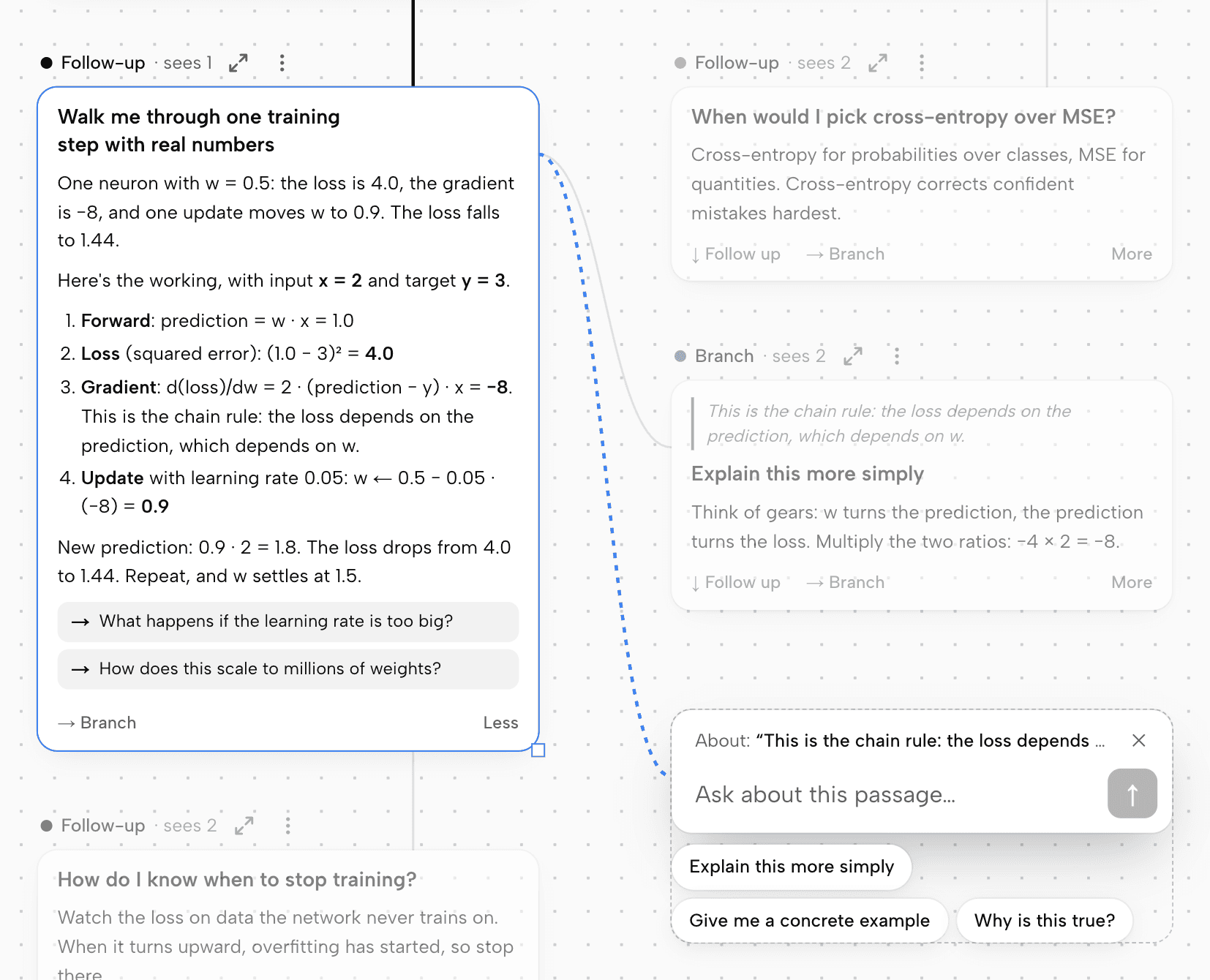
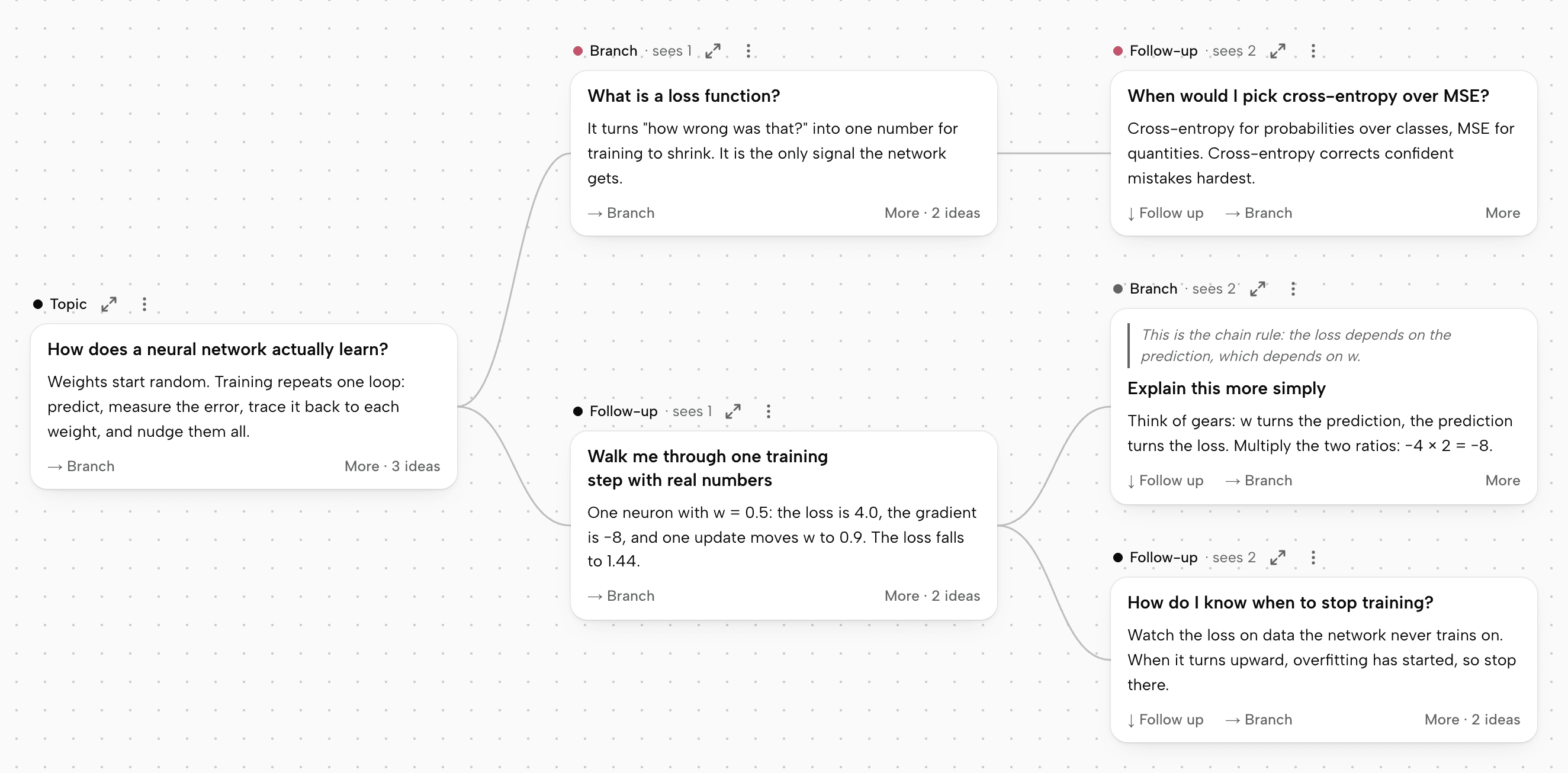
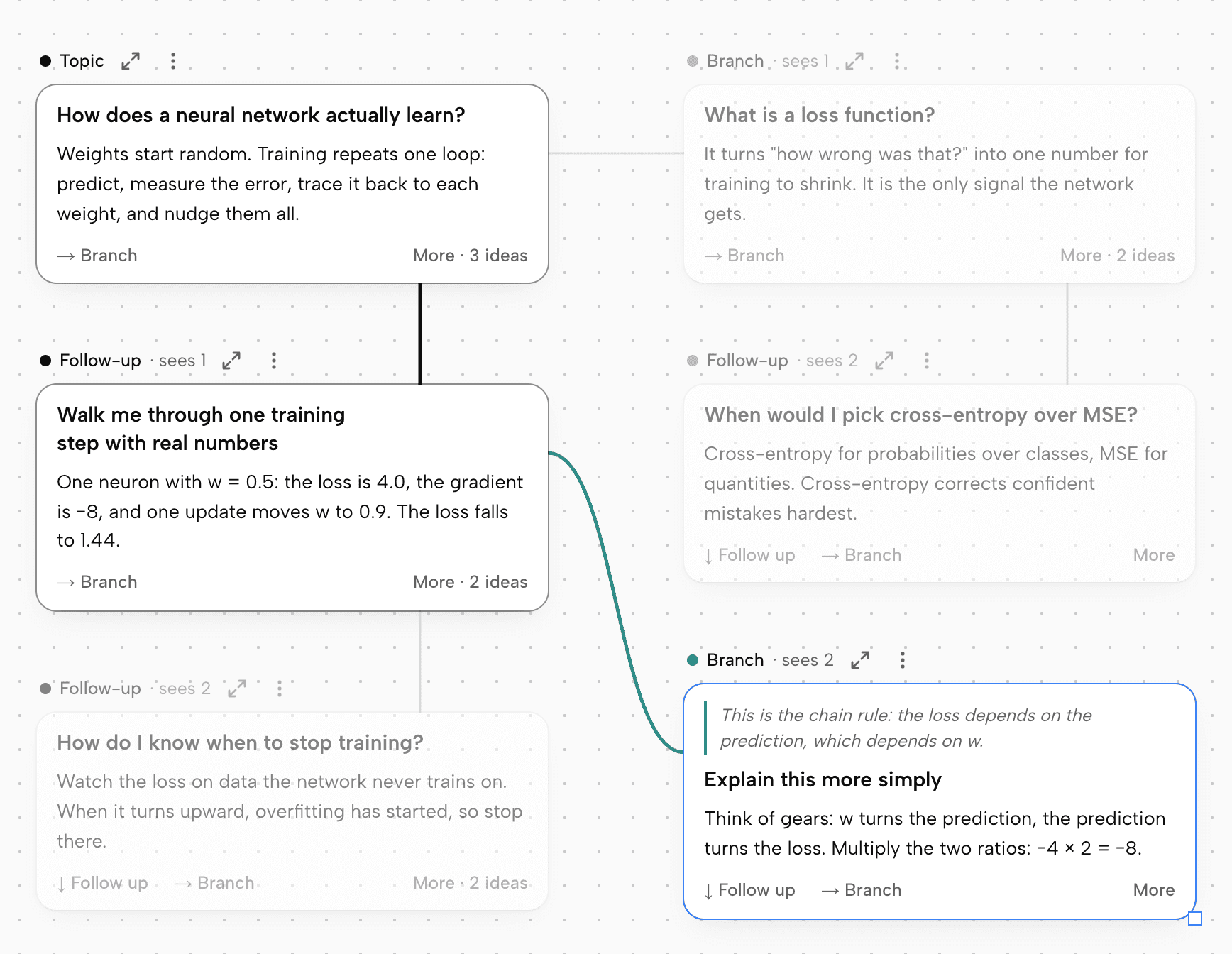
Every question becomes a card on a canvas, showing the question along with the opening of the answer. From any card you can either follow up, which continues that thread downward, or branch, which opens a side question off to the right while the thread you were on stays exactly as it was. You can also highlight any sentence in an answer and branch on just that passage, because it's often one specific part that I want to dig into rather than the whole answer.
Since it's a board, it behaves like one
Cards start out in a tidy layout, but you can drag them wherever you like, resize them, and add sticky notes around them, and a Tidy up button puts everything back in order when it gets messy. When you want to focus on one idea, any path through the board opens as a normal linear chat, so you still get the familiar conversation whenever that's the better way to read something.
The decisions I spent the most time on
Most of the interesting questions turned out to be small ones that change how the whole thing feels, so I prototyped them and tried them out instead of deciding on paper.
- Where you type. I built five versions of the prompt bar into one prototype so that I could feel the difference between them: fixed at the bottom, draggable, following whichever card you click, built into the card, and one that only moves when you're about to ask. I went with the last one, because the bar slides into the empty space where the answer will land, below the card for a follow-up and beside it for a branch, which means you can see where your question is going before you send it, and clicking around to read never moves anything.
- What goes on a card. At first the model wrote a separate summary for every card, and I dropped that once it was clear that asking it to open with the actual answer did nearly the same job with far less machinery. Even on a brainstorm, the first paragraph now names real options instead of announcing that a list is coming.
- What the model can see. A card only sends the model the cards on its own path, which is what keeps a tangent from leaking into the rest of your thinking, and each card tells you how many earlier cards it can see. To check that this really holds, I gave a real model a secret word on one branch and then asked for it from a sibling branch and from the main thread. Neither of them knew it, while a follow-up on the original branch did.
Where it is now
I'm still working on this, so expect it to keep changing. It's open source under the MIT license, which means anyone is welcome to use it, change it or build on it, and it runs on your own computer with your own API key. If you don't have a key you can still explore the example board and try out the canvas, with placeholder answers for any new questions you ask.